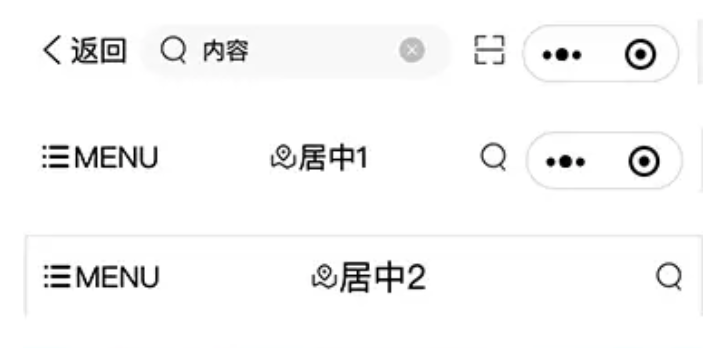
uniapp 自定义顶部导航栏 搜索框 通用导航
1.0.0
uniapp 小程序H5顶部自定义导航栏
插件市场 https://ext.dcloud.net.cn/plugin?id=2513
mys-navBar 自定义顶部导航栏,小程序 H5 导航栏,搜索框,通用导航
使用方法
nvue 测试使用
把 demo-X.vue 改为 nvue 测试
喜欢的 git 点个 star ❤️ 感谢
1 | // 在page.json 中 先定义 navigationBarTextStyle |
引入
1 | // mysNavBar.vue 设置好以下内容 |
1 | <mvBar |
值说明
主要配置 mysNavConfig
| 属性 | 默认值 | 可选 | 类型 | 简介 |
|---|---|---|---|---|
| navFixed | true | Boolean | Boolean | 导航固定 |
| navPadding | true | Boolean | Boolean | 导航占位,顶部是否空出位置 |
| bgColor | “#f8f8f8” | - | String | 导航背景色 |
| bgImage | - | - | String | 导航背景渐变 背景图 |
| isOpacity | false | Boolean | Boolean | 开启渐变 opacity 可不传值 |
| opacityTime | 100 | - | Number | 渐变延时效果 |
| opacity | 1 | - | Number | 透明度 |
| btnType | type1 | type1,type2 | String | 按钮类型 使用 2 时需要配置 2 |
| leftText | Object | - | Object | type1 按钮 左侧文字配置,参考 相关配置 |
| navTitle | Object | - | Object | 导航中间标题配置,参考 相关配置 |
| type2Config | Object | - | Object | type1 按钮配置,参考 相关配置 |
| searchConfig | Object | - | Object | 搜索框配置,参考 相关配置 |
| isCustomFn | false | Boolean | Boolean | 导航左侧点击,@onLeftClick |
| leftIconPath | - | - | String | 导航左侧图标路径 |
| rightIconPath | - | - | String | 导航右侧图标路径 |
| homeIconPath | - | - | String | 导航返回首页图标路径 |
相关配置
1 | /* type1 左侧文字配置 */ |
事件说明
| 事件名 | 说明 | 回调参数 |
|---|---|---|
| onLeftClick | 开启 isCustomFn 时点击左侧 | - |
| onRightClick | 配置 rightIconPath 时点击右侧 | - |
| changeInput | 配置 searchConfig 时 input 值发生变化 | event |
| clearInput | 清空搜索框 | - |
| submitInput | 提交 | evnet |
| clickInput | disabled 禁用搜索框时 点击 | - |